
Run your builds and your lets from one workspace.
Build & Let is the single workspace for UK property developers and landlords. Track tasks, snags & costs across your refurbs, and tenants, rent & certificates across your portfolio, with an AI assistant that actually does the work, not just summarises it.
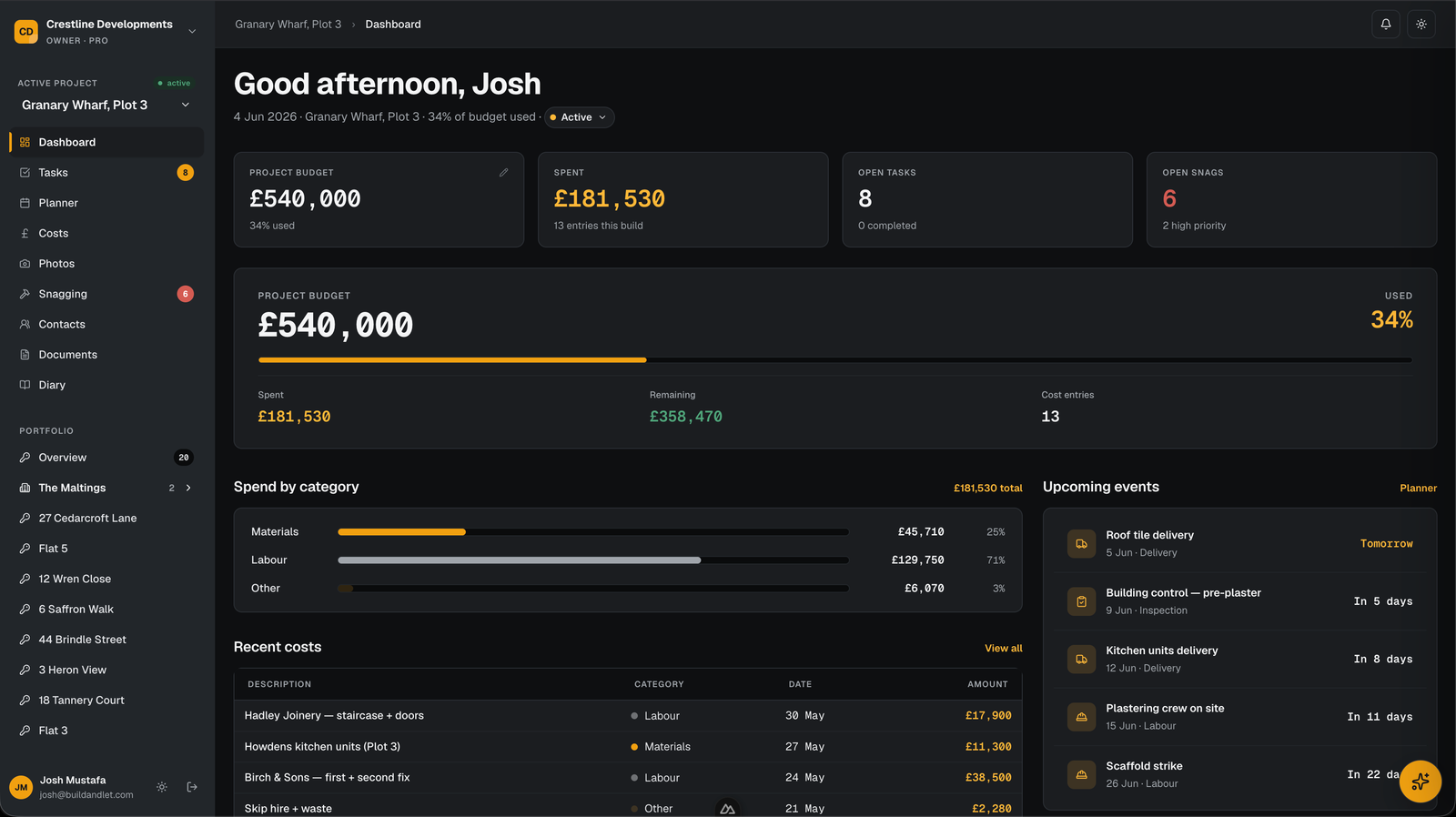
You’re running a property business across four apps that don’t talk to each other.
Most UK property developers and landlords are duct taping software together. Builds live in one tool, lets in another, money in a third, and the team in WhatsApp. The cracks cost you time, margin, and sleep.
All four, replaced. One workspace.
Projects, properties, team, photos and money, under one URL, one login, one bill. Plus an AI that does the work you’d otherwise put off until Sunday.
And the bits that usually fall through the cracks.
The admin that lives in inboxes, glove boxes and the back of your head, given a proper home inside every project and property.
Documents
Contracts, certificates and warranties filed against the right project or property. Searchable, timestamped, off your desktop.
Site diary
A dated log of each day on site: weather, deliveries, who showed up, what got done. The record you’ll want if a job’s ever disputed.
Contacts
Your trades and suppliers in one address book, linked to the projects they’re on, not scattered across phones and text threads.
Rent reminders
A notification the day rent’s due: “Flat 3’s rent is due today.” See what’s owed and what’s late at a glance, without digging through a spreadsheet.
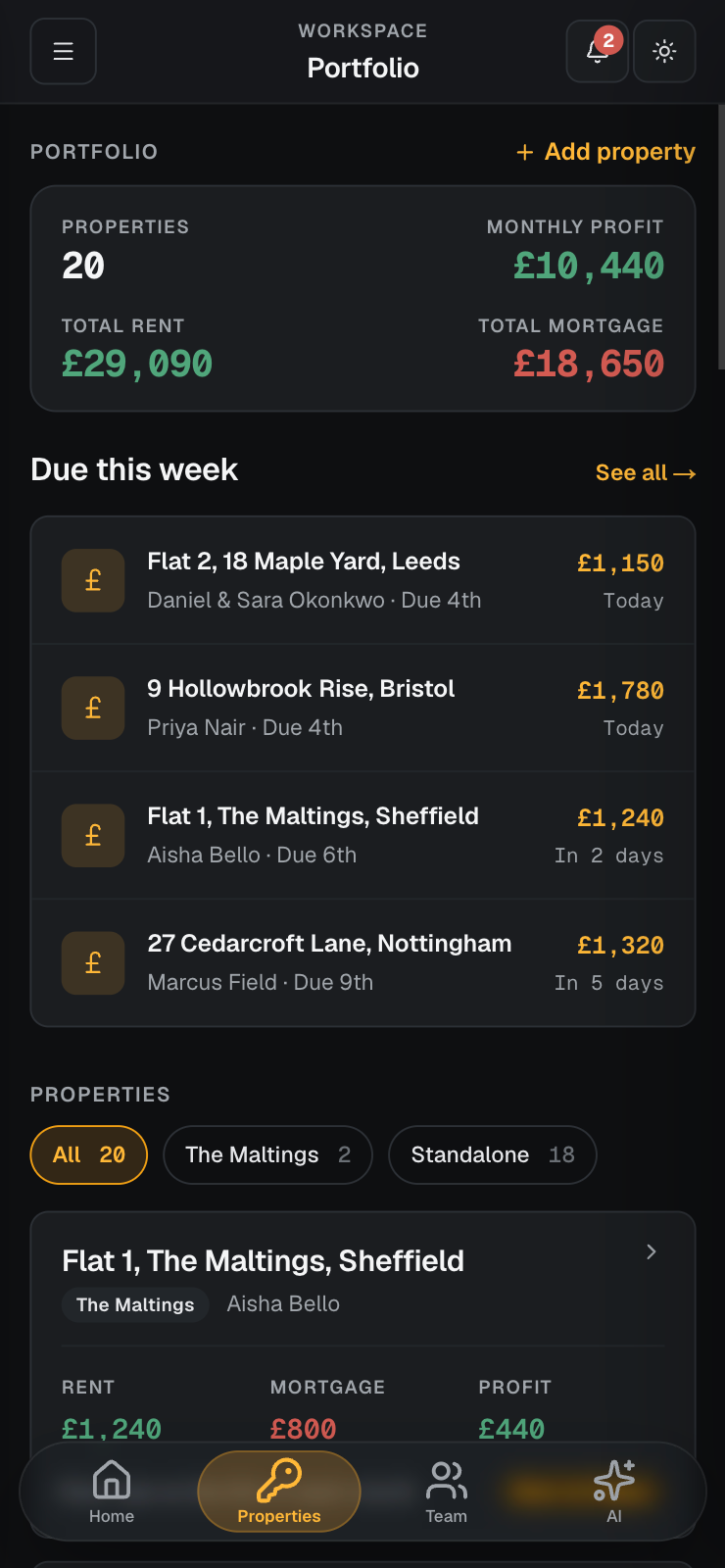
Your whole portfolio, in your pocket.
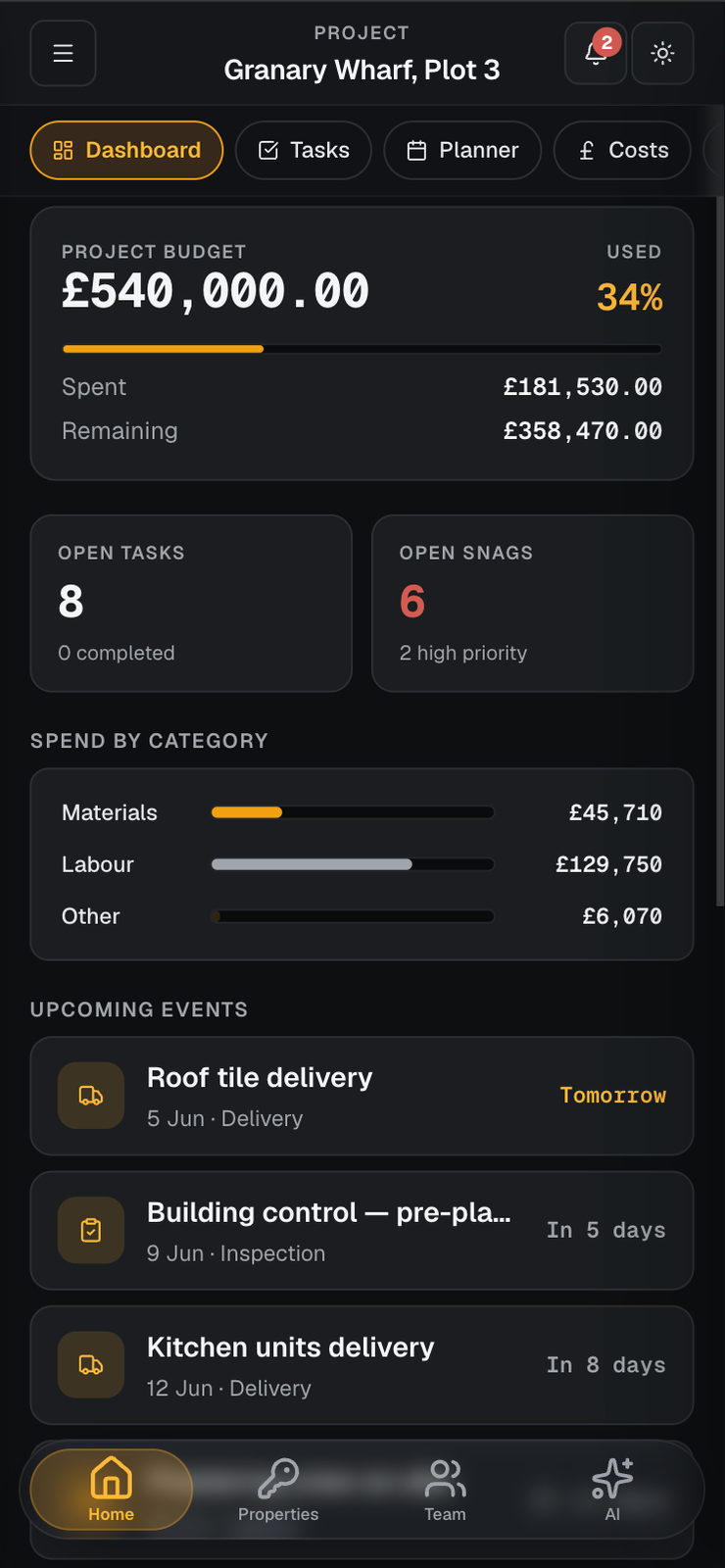
Build & Let works on any phone, and you can save it to your home screen so it opens like any other app: full screen, its own icon, no address bar. The same workspace you use on your laptop, sized for one hand.
- Save it to your home screen and launch from your own app icon, full screen, no browser bars
- Everything from desktop: tasks, snags, photos, rent and tenants, sized for one hand
- Made for site: snap photos and log snags where the work is, even when the signal drops
- One login across laptop and phone, switch between them and pick up where you left off
What’s due today, before your first coffee.
Every morning at 8am, Build & Let checks your whole portfolio and posts a reminder to the notification bell in the app, one per property that’s due today, with the tenant and the amount. A heads up you glance at, not a task to action.
- Runs automatically at 8am, every day, with nothing to set up or remember
- One reminder per property due today: tenant, address and amount, in your notification bell
- Tap any reminder to jump to that property, or open the rent due page to see them all
- Only notifies on days something’s actually due, quiet otherwise
The AI doesn’t summarise. It does the work.
28 tools, wired into your projects and portfolio. Ask it like you’d text your foreman. It logs costs, adds snags, sets tenants, finds the rent that’s due, schedules planner events. Real changes, and the ones that touch your data wait for your confirm before they save.
17 Mill Ln · £600 · due 7th
Everyone sees their part, and nothing else.
Build your own roles and scope each one three ways: which projects, which properties, and which sections. The trade on site sees snags; the surveyor sees paperwork; your bookkeeper sees the numbers, and none of them see the rest.
Runs the day to day on the sites you put them on, with the full build toolkit but none of your portfolio or billing.
Just the job they’re on. The plumber raises and closes snags from their phone, and sees nothing about your money.
Sign off access to plans, paperwork and the site diary; they can read everything they need and change nothing.
Looks after your rentals (tenants, rent and certificates) without ever touching a live build site.
The numbers and the invoices across your projects, and nothing about tenants, trades or what’s on site.
Full run of every project and property, and the only role that can add people, build roles and handle billing.
Your logo. Your colour. Their workspace.
Workspace branding is on every plan, not a bolt on. Pick a colour, drop your logo, and your whole team sees it across the app.
- Pick from a curated palette or drop in any HEX
- Upload your logo: it shows in the sidebar and headers across the app
- Looks right in both light and dark mode
- Running multiple Ltds? Each workspace gets its own brand
Amber · plus any HEX in app Run it on your own domain.
Put the whole app on app.yourcompany.co.uk instead of a Build & Let URL. Your team and clients see your brand on a web address that’s yours, not ours.
- Your own web address, so it looks like software you built
- HTTPS certificate issued and renewed automatically, nothing to maintain
- Plain English setup: we hand you the two DNS records and check them for you
- Your buildandlet.com address always works as a fallback
Every feature on every plan. Pick by size.
14-day free trial. No charge until day 15. Cancel anytime. Tiers differ on seats, properties, AI quota and storage. That’s it.
- 1 seat
- 3 active projects
- 10 properties
- 50 AI messages / month
- 5 GB storage
- Email support · 48h
- 5 seats
- Unlimited projects
- 50 properties
- 500 AI messages / month
- 50 GB storage
- Email support · 24h
- 15 seats
- Unlimited projects
- Unlimited properties
- 2,500 AI messages / month
- 250 GB storage
- Email + chat · 4h
Probably what you’re wondering.
Still got something? Email hello@buildandlet.com. Real humans, UK working hours.
Field notes for developer landlords.
Keeping Tenancy Records Compliant: A UK Guide
What records UK landlords must keep, why, and how long: deposit protection, Right to Rent, gas, EICR, EPC, served documents and tax records, all in one place.
How to Run a Pre Handover Snagging Inspection
A practical UK guide to running a pre handover snagging inspection: when to do it, a room by room checklist, how to record snags, and how to close them out.
Rent vs Mortgage: Cashflow Per Property Explained
How to work out true monthly cashflow on a UK buy to let: rent in, minus mortgage and running costs, plus the tax wrinkle and how to stress test it.
Stop juggling. Start running.
14-day free trial. Card upfront, nothing charged until day 15. Cancel anytime, no questions.